Windows 11 Native App

Find & Remove
Duplicate Files
Fast & Safe

TwinTrace scans your folders with blazing-fast xxHash64 technology and helps you reclaim wasted storage — safely and effortlessly.

20x Faster than SHA256
8 Parallel Threads
3 Detection Stages
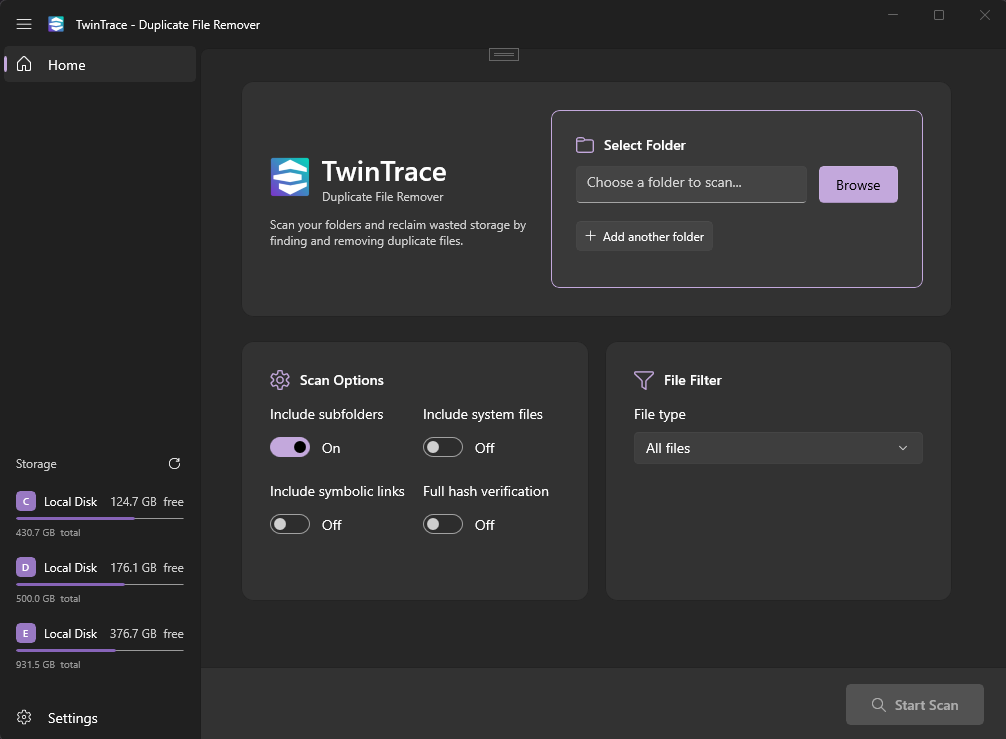
TwinTrace App Screenshot

Built for Speed & Safety

A multi-stage detection pipeline that's both thorough and lightning fast.

xxHash64 Engine

Uses xxHash64 hashing — approximately 20x faster than SHA256 — for rapid duplicate detection without compromising accuracy.

Multi-Stage Detection

Size pre-grouping → partial hash → optional full hash. Eliminates 80–95% of comparisons before any heavy I/O. Enable full hash for 100% accuracy.

Parallel Processing

8 concurrent file reads. Your multi-core CPU is fully utilized during scanning for maximum throughput.

Safe Deletion

Files go to the Recycle Bin by default. Every action is reversible — no accidental data loss.

Native Windows UI

Built with WinUI 3 and Fluent Design. Supports dark mode, Mica backdrop, and feels right at home on Windows 11.

Multi-Drive Scanning

Pro users can scan multiple folders and drives in a single pass — find duplicates across your entire storage setup.

How It Works

Three simple steps to a cleaner drive.

1

Select a Folder

Choose any folder on your system. TwinTrace will scan it for duplicate files.

2

Review Results

See all duplicates grouped together with file details. Use smart selection to pick which to remove.

3

Clean Up

Delete selected duplicates safely. Files go to the Recycle Bin — fully reversible.